What Do You Mean by Multiplayer AI Coding?

Agentic development is becoming widespread for individual developers, but cracks in the process become obvious as soon as teams are involved.
Today, every engineer prompts their own AI agent in isolation. The agents can’t talk to each other, the team can’t see what any agent figured out, and hard-won context disappears the moment a session ends.
Multiplayer AI coding addresses these challenges through shared specifications. Instead of treating development as a single-player game, teams collaborate on structured specs that serve valuable context for every agent on the project.
Let’s look at why isolated agentic work falls apart, how specs fix it, and what a multiplayer session looks like end to end using Runbooks.
The Problem: AI Agents Don’t Work on Behalf of the Team
When an engineer prompts an AI agent to complete a task, the work happens on behalf of that individual, not the team. The agent’s context, decisions, and discoveries live and die inside that session. Agent A has no idea what Agent B figured out yesterday. This means duplicated effort, inconsistent results, wasted tokens, and (worst of all) zero visibility for teammates or management into what the agents are actually doing. Is an agent working with the context it needs, or is it on its own vision quest? Nobody knows.
This context needs to flow between agents, across teams, and up to management. A system that prioritizes accountability through visibility avoids these vision quests and produces consistent results.
Implementing Spec-Driven Development for Multiplayer Coding
So how do we solve this?
We need shared team artifacts that agents can consume. Documentation is a starting point, but dumping everything into an agent’s context leads to rot. LLMs reward structure with consistent outputs and coherent understanding of problems. The answer is specifications. Specs are precise, structured, and designed to evolve with the project.
What Does a Multiplayer Spec Session Look Like?
Runbooks offer a peek into what multiplayer spec-driven development looks like. The term “Runbook” comes from incident management, where it means a recipe: step-by-step instructions on how to complete a specific task. That’s exactly why we chose the name. A Runbook is the spec. Structured with an objective and numbered steps, each scoped into bite-sized tasks AI agents can accurately execute for maximum consistency. Each Runbook includes validation checks to verify results.
Once you have the spec, you can invite more players to the game. The Runbook becomes a shared artifact the whole team collaborates on through a shared history: everyone sees the same specs, which gives the team a single source of truth to align on direction, catch mistakes early, and build on each other’s work.
Migrating from Vue 2 to 3 with Spec-Driven Development
Consider a scenario where the team is migrating from Vue 2 to Vue 3. A PM can set the project scope and constraints. A senior engineer with relevant migration experience can update the spec with hard-won knowledge: which libraries have had compatibility issues, Options API to Composition API conversions. A junior developer can then execute with the full accumulated context.
The five-step workflow makes this process straightforward:
- Plan it: write specs, team reviews, and refines
- Provision it: launch an isolated sandbox, gather codebase context
- Execute it: the agent runs steps with real-time tracking
- Review it: each step generates a PR, reviewers give feedback, agent revises
- Share it: publish the finished Runbook to the team library for reuse
Waterfall Model? Is That You?
With all the planning and executing, it might feel like we are taking a note from the ye olde SDLC bibles to manage agents with the Waterfall Model. The main difference is that planning takes minutes, not months, and with the focus on code, the spec can be improved through constant feedback.
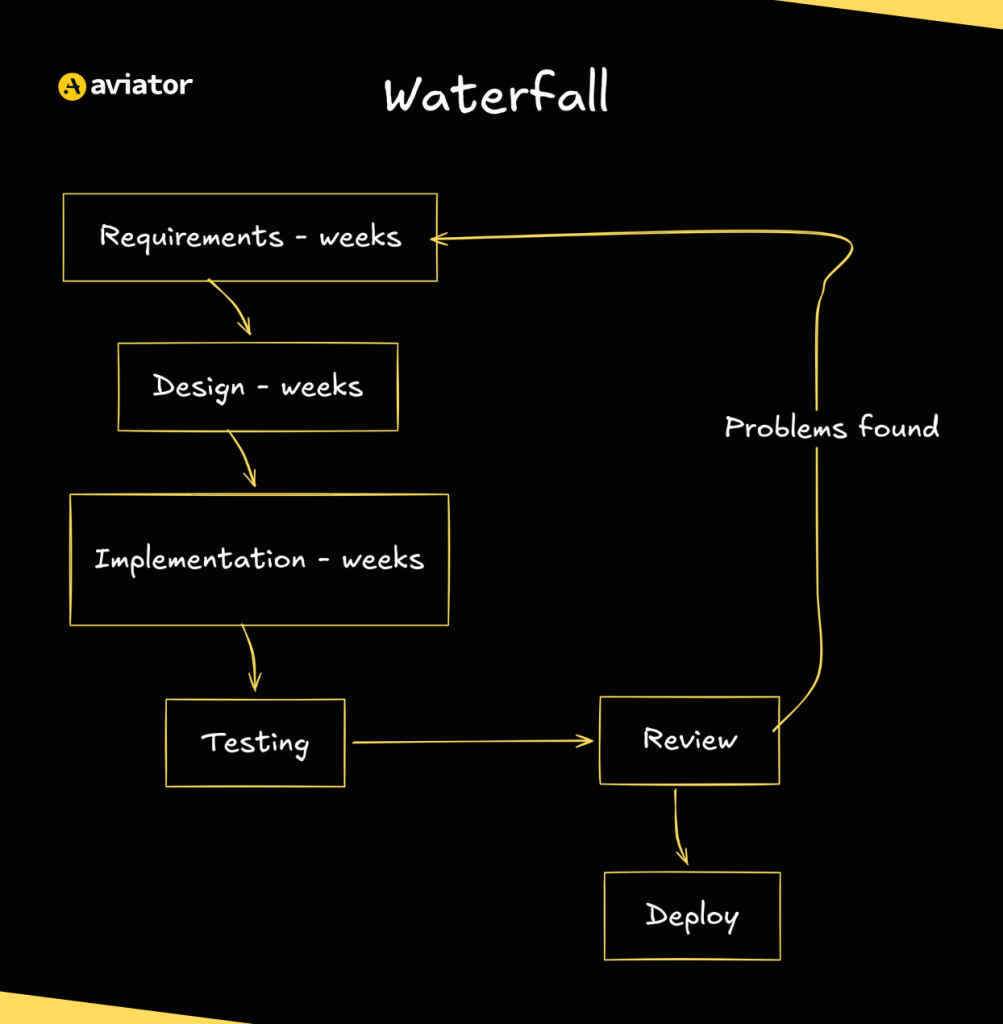
Waterfall development diagram
One of the toughest moments in a code review is discovering that the fundamental approach to solving the problem was wrong. This problem comes up in agentic development and amplifies with speed and scale. Providing clarity through specs in the beginning might take a few minutes, but it saves hours of debugging time later.
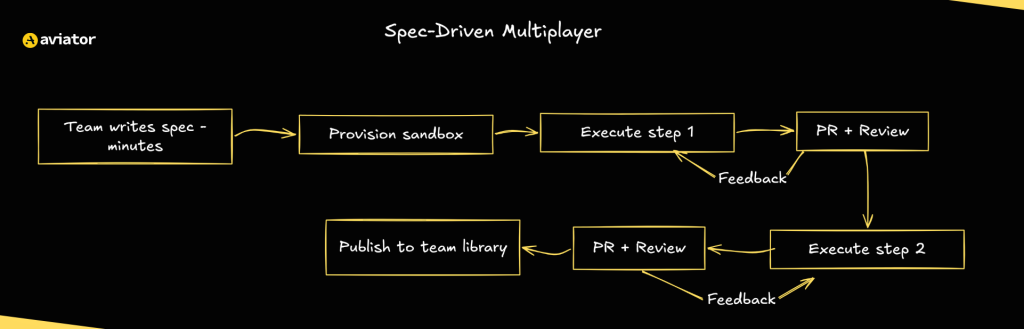
Spec-driven development diagram
What Does Multiplayer AI Coding Look Like in Real Life?
Now that we understand what multiplayer AI coding is, let’s put it into practice using Aviator Runbooks.
Setting Up the Environment
To set up your environment:
Choose your GitHub repo to collaborate on. For example, we have chosen a vue2-demo repo. We are going to create a Runbook for migrating this project from Vue 2 to Vue 3.
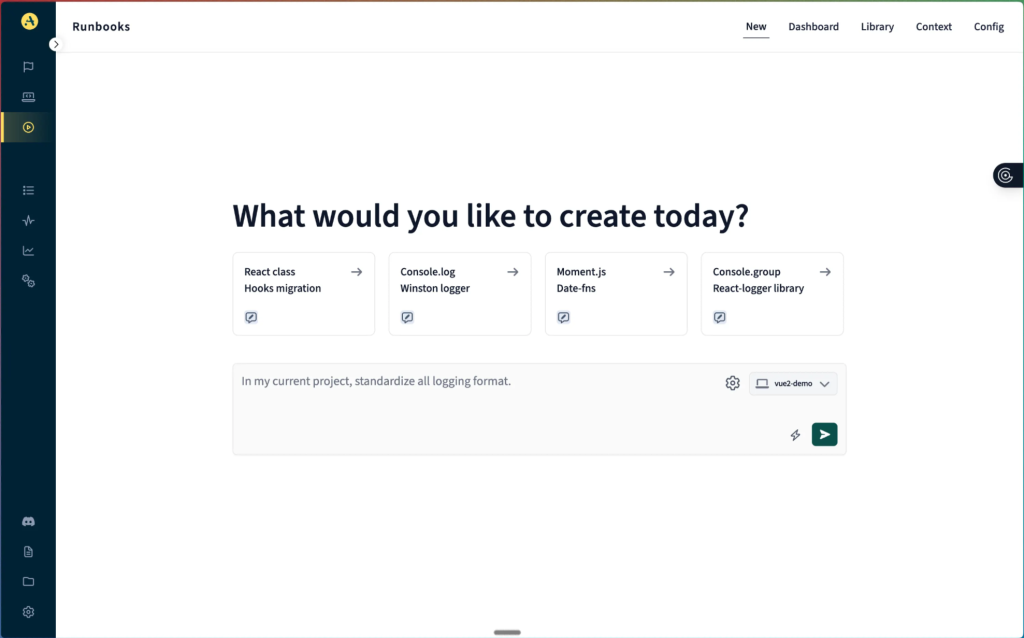
Selecting the vue2-demo repository in Aviator Runbooks
In the input section, add your architecture diagrams and whatever context the team has accumulated. The more relevant context you provide upfront, the better equipped the agent will be during execution. The trick is to give enough context before starting while keeping room for the unknowns so you don’t over-engineer the first prompt.
On a subsequent run, the Runbook creates a plan for the AI agent based on the spec. Each step in the plan is scoped small enough for the agents to execute accurately. This sequence of reviewable steps has validation checks built in as well.
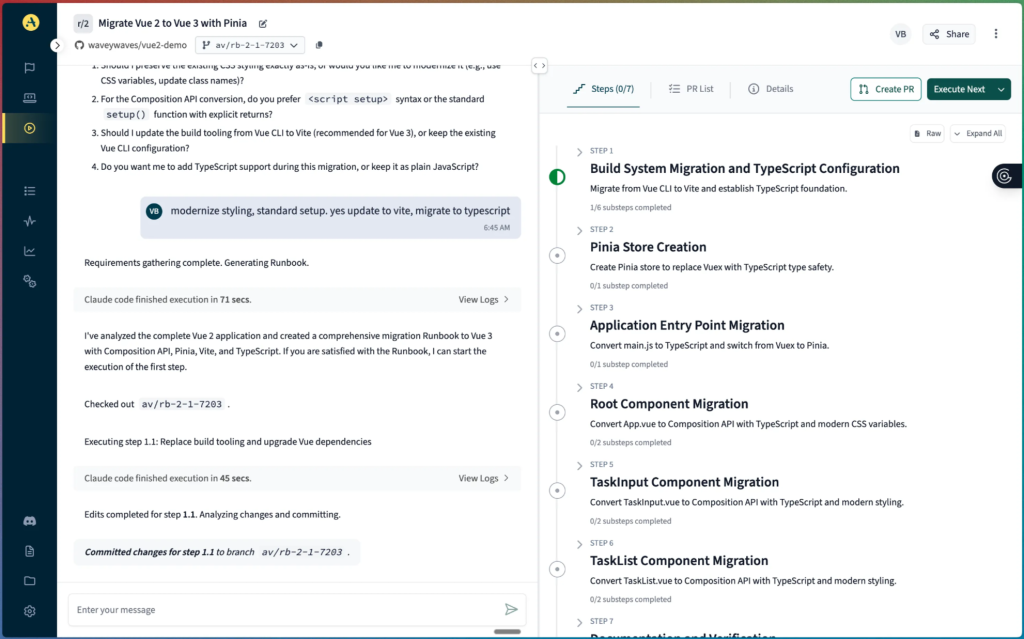
Runbook plan with numbered migration steps
Building Shared Knowledge Step by Step
As the agent works through each step, it encounters errors, possible hurdles, and CI flakes. Each of these gets reviewed and addressed by the agent, and the feedback is recorded by the Runbook. Learnings from one step feed into the next, and the Runbook evolves with the user input you provide as well. The result is a growing knowledge base embedded directly in the spec.
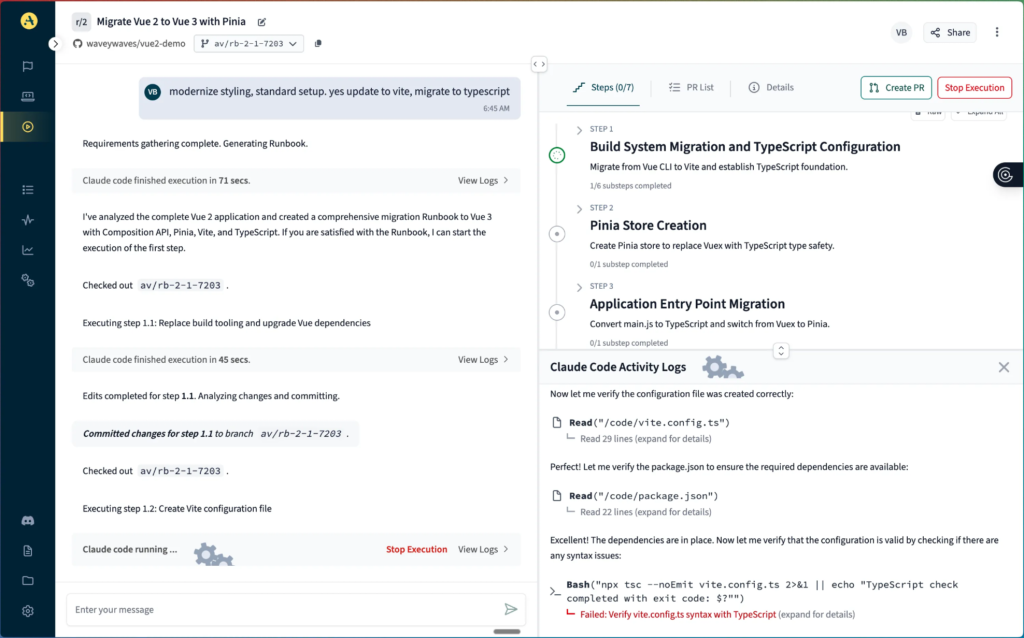
Executing a runbook step with real-time progress tracking
Collaborative Spec-Driven Development for Teams
This is where we go from single-player to multiplayer. The link to the Runbook can be shared with the team so they can review the progress and weigh in on the next steps if necessary.
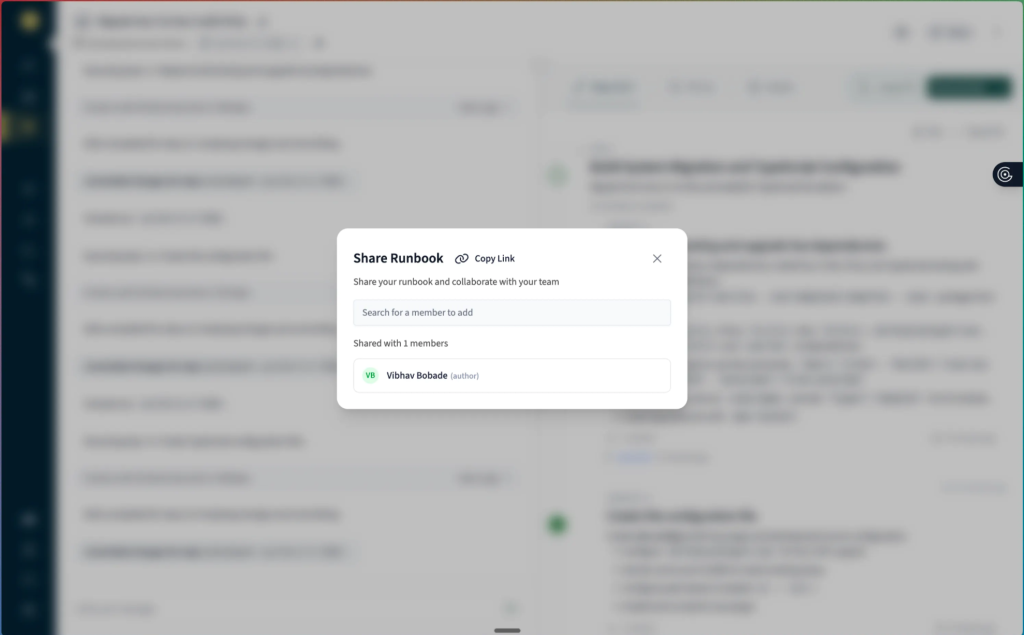
Sharing a runbook link with team members for collaboration
Here, a senior engineer can jump in and flag that a particular Vuex module needs special handling, or a PM can check if the migration is on track with sprint goals.
Teams can collaborate directly on the spec itself instead of scattering feedback across Slack threads, PR comments, and stand-up notes.
Today, engineering knowledge about AI coding workflows gets shared informally: copy-pasted into markdown files, buried in repos, or lost in chat history. Runbooks replace that fragmentation with a single, versioned, collaborative workspace where the spec is shaped by the conversation.
Opening the Pull Request
Once we have all the necessary changes post-collaboration, we can open a PR by clicking on the Create PR button in the top right corner.
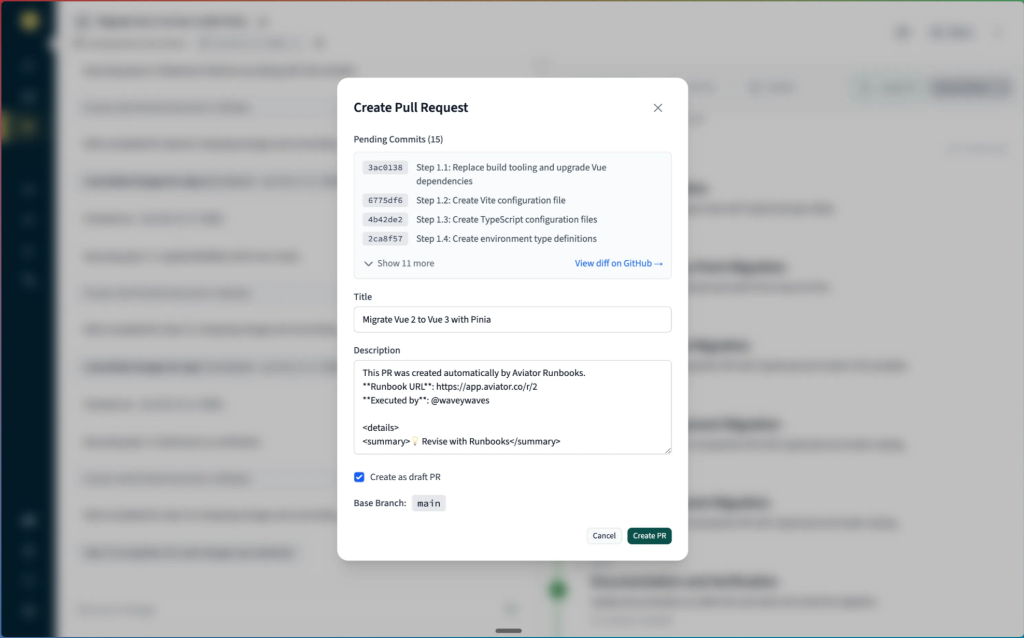
Creating a pull request from completed Runbook changes
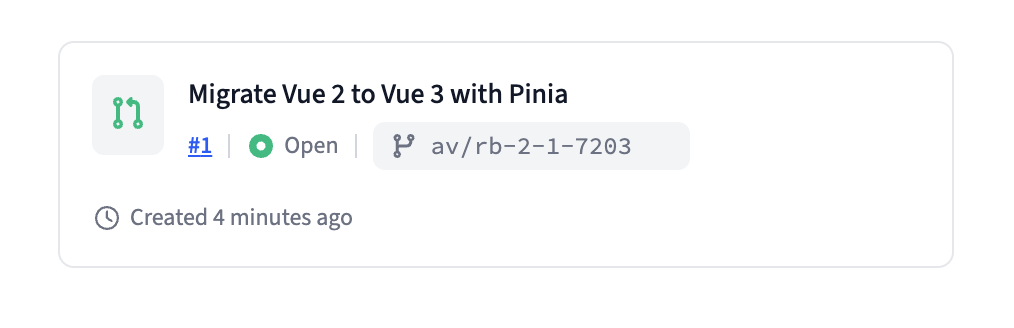
Comment created by the Runbook with a link to the PR
The PR, once created, will flow into your normal GitHub review process. If a reviewer catches something, they can use /aviator revise in the PR comments, and the agent will iterate based on the feedback.
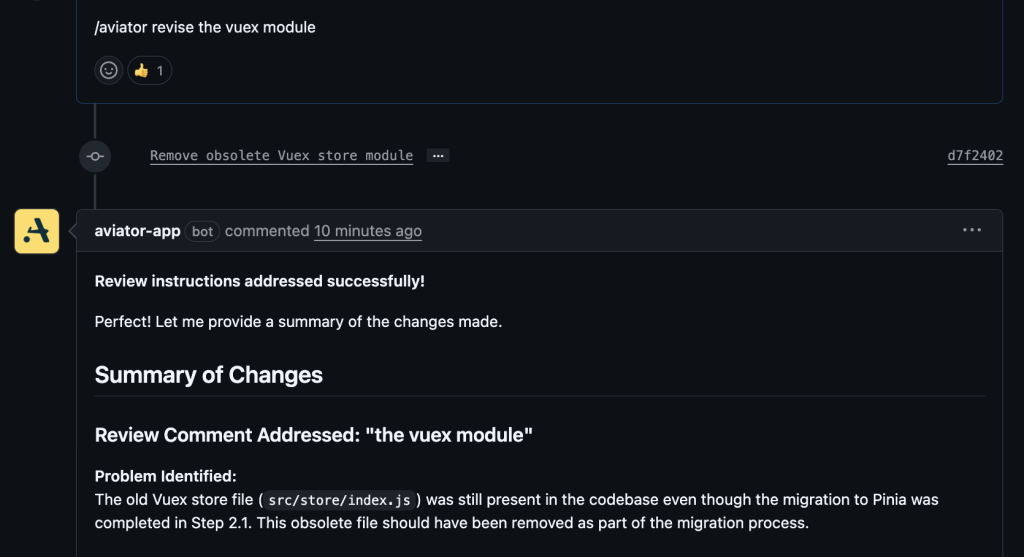
Triggering revisions from within the Pull Request
Reusable Templates for Similar Tasks
Once the team has worked on a collaborative task like this one, we can create a template from this Runbook for anyone else in the organization to use.
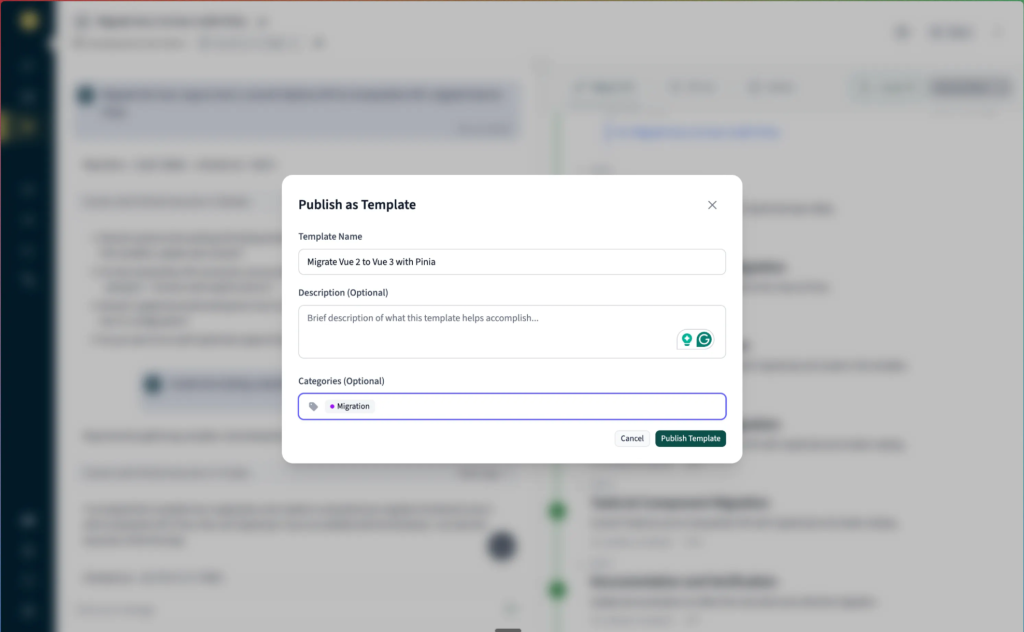
Create a template from a Runbook
And just like that, we have completed the migration with the help of our team!
Getting Started with Multiplayer Workflows
The fastest way to start with multiplayer workflows is by picking a task your team currently works on in isolation. These are usually migrations, similar patches, or long setups—the kind of work that usually leads to tribal knowledge trapped in one engineer’s head.
Connect your repo to Runbooks, invite your teammates, start writing the spec, and open your first collaborative PR!
FAQs
What is multiplayer AI coding?
Multiplayer AI coding shares context for AI agents across an organization. The whole dev team uses the same set of specifications. Every agent on the project consumes these, which makes the context flow across sessions, roles, and agents instead of being confined to a single chat window.
How do shared specs improve AI agent output?
LLMs produce consistent output when the input has clear structure. Dumping unstructured documentation into an AI chat window leads to context rot. Specs have scope, numbers, and are designed to evolve with the project.
Does writing specs slow down development?
Planning takes hours, not months. The alternative is discovering the agent took a wrong approach during code review, and then chasing bugs down the road. Upfront work saves hours on the back end, especially considering how fast agents work.
What tasks work best with multiplayer AI workflows?
Migrations, patching, setting up environment, and any work that depends on the knowledge trapped in one engineer’s head. If your team currently does it in isolation and the context resets every session, it’s a good fit.