
Migrating from Node.js 14 to 18: Vibe Coding vs. Spec-Driven Approach
Comparing two ways of completing the same upgrade: migrating a Node.js 14 project to Node.js 18 by chatting with an AI assistant and performing the same migration through a spec-driven development approach, with a strict, pre-written plan.

Writing code by chatting with an AI feels great. You paste an error, and it gives you a fix. But that feeling fades when you have to drag a backend service through three major version upgrades. Moving from Node.js 14 to 18 is messy. You have OpenSSL errors, API changes, and broken imports.
In this walkthrough, we compare two ways of completing the same upgrade, migrating a real Node.js 14 project to Node.js 18 by chatting with an AI assistant and performing the same migration through a spec-driven development approach, with a strict, pre-written plan. The goal is to understand how both methods behave when dealing with real-world version bumps, dependency conflicts, ESM shifts, and the typical breakage that appears during this jump.
The Coding Project Setup
To keep the comparison grounded in a realistic situation, we use a small project built on Express. The initial repository runs on Node.js 14. It contains a typical mixture of dependencies: Express, node-fetch, mocha, nodemon, and eslint. Some of these libraries have moved to ESM-only distributions, and others have changed their minimum supported Node.js versions. The repository also contains a simple CI configuration that runs unit tests, code quality checks, and a lightweight build task.
Three migration goals shape the work:
- Update the Node runtime to version 18.
- Resolve incompatible or deprecated packages such as node-fetch version 2, mocha version 9, and eslint version 7.
- Confirm that tests and the application run correctly after the upgrade.
Vibe Coding Workflow with Claude Code
Step 1: Kicking Off the Migration
I began by describing the migration task inside the repo and opening the relevant files. Instead of giving a high-level summary like a chat model, Claude reacted directly to what I edited. As soon as I modified package.json and left a comment about upgrading from Node 14 to Node 18, Claude started suggesting engine updates and dependency bumps inline.
Initial task context:
| I’m migrating an Express-based Node.js project from Node 14 to Node 18. Identify all breaking changes, update package.json, suggest necessary dependency upgrades, flag ESM-only packages, update any Webpack or TLS-related configs, and generate the full migration plan. |
While Claude Code doesn’t output a long narrative by itself, its suggestions reflected typical Node 18 requirements, updated engine field, hints toward upgrading nodemon, mocha, eslint, and nudging toward ESM-compatible libraries such as node-fetch v3.
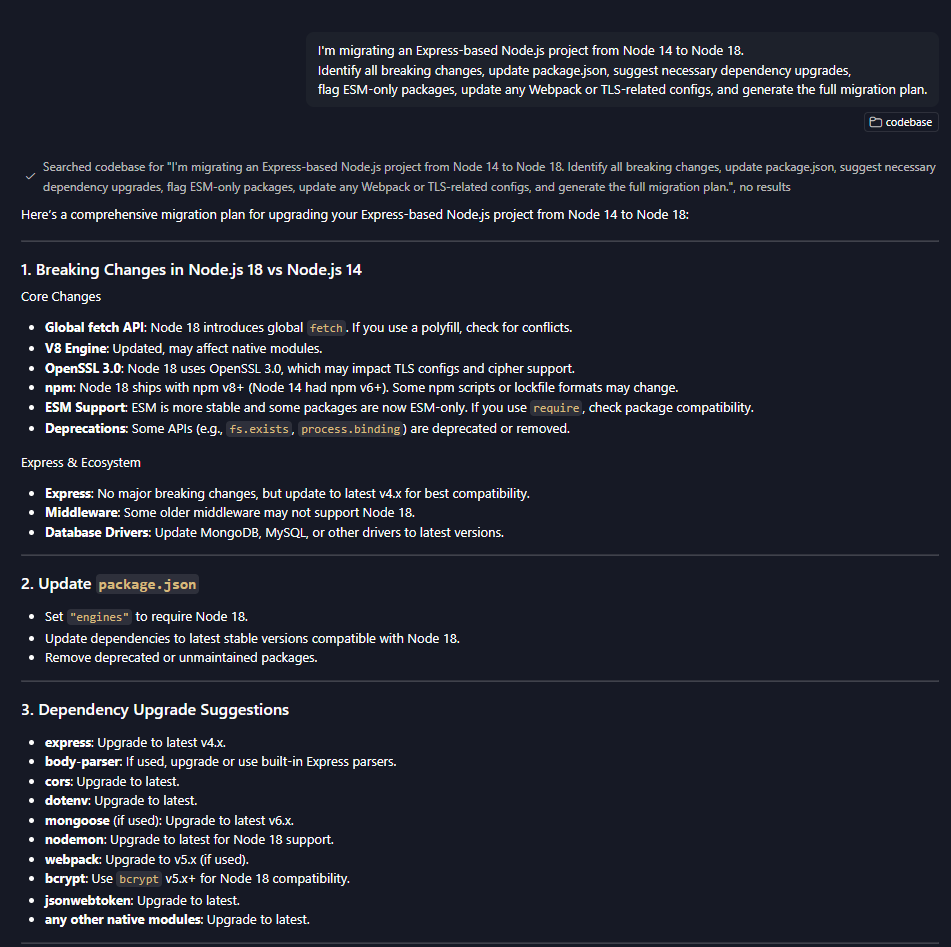
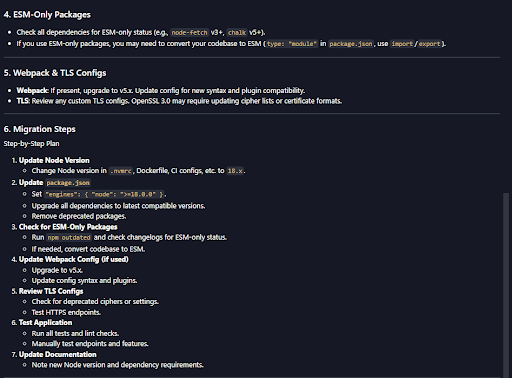
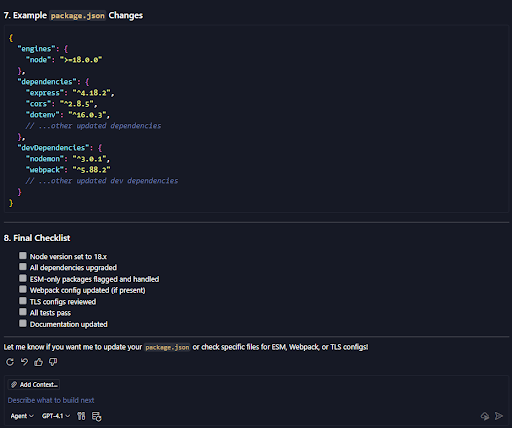
Unlike a conversational model, Claude Code didn’t give a broad explanation of Node 18’s OpenSSL 3 changes, DNS differences, or ESM behavior until I touched the specific code or config that needed updating. Most of its support appeared contextually as autocomplete inside the files.
Step 2: Applying Updates Through Iterative Prompts
The workflow became an iterative loop: install or modify something > trigger an error > open the file > Claude Code suggests the fix.
| npm install node-fetch@3 npm install eslint@8 mocha@10 |
This immediately triggered the ESM error:
| Error [ERR_REQUIRE_ESM]: require() of ES Module not supported |

When I converted one require() to an import, Claude auto-filled the rest of the correct syntax:
| import fetch from ‘node-fetch’; |
It also suggested adding .js extensions as soon as I fixed the first one.
When Webpack threw MD4 hashing issues under Node 18, I opened the config and added a comment about Node 18’s OpenSSL 3 incompatibility. Claude proposed the appropriate fix inline:
| output: { hashFunction: ‘sha256’ } |
This matched the correct way to resolve the OpenSSL deprecation without me having to explain it conversationally; Claude inferred it from context.
Step 3: Validation and Test Fixes
After dependencies settled, running tests revealed ESM import mismatches, path adjustments, and deprecated fs.promises usage. Once I opened the test files, Claude generated updated imports, .js suffixes, and modernized patterns automatically.
When Jest complained about ESM, Claude suggested the correct adjustments inside the config:
| “type”: “module”, “jest”: { “testEnvironment”: “node” } |
Once these suggestions were accepted and applied across the test suite, everything validated correctly, and the project was finally built without errors.
Step 4: Observations
Using Claude Code made the migration more hands-on and embedded in the coding workflow:
- Changes happened directly inside files as Claude proposed updates.
- Fixes appeared exactly where the breaking change occurred.
- No long chat thread; the migration history lived in diffs, not a conversation.
- The process worked smoothly but reactively, with each correction emerging only after interacting with the code that needed it.
The biggest drawback was the lack of a centralized explanation. Since Claude Code operates inline, there wasn’t a single summarized record of all steps. Another engineer would rely on commit logs rather than a reconstructable prompt history.
Spec-Driven Workflow with Aviator Runbooks
Step 1: Selecting the Template
Aviator’s Runbooks Library contains a template specifically for this migration.
I imported this template inside the Aviator Runbooks interface. Go to Library > Search for “Migrate Node.js 14 to Node.js 18” > then use this plan.
Import your repository from Github > add custom instruction. I have added the instruction below, you can copy paste directly for ease. Then click on ‘Use Template’. The import process created a structured plan that describes each step required for the upgrade. This includes discovery of incompatible dependencies, updates to the engine field, corrections to build scripts, and validation steps.
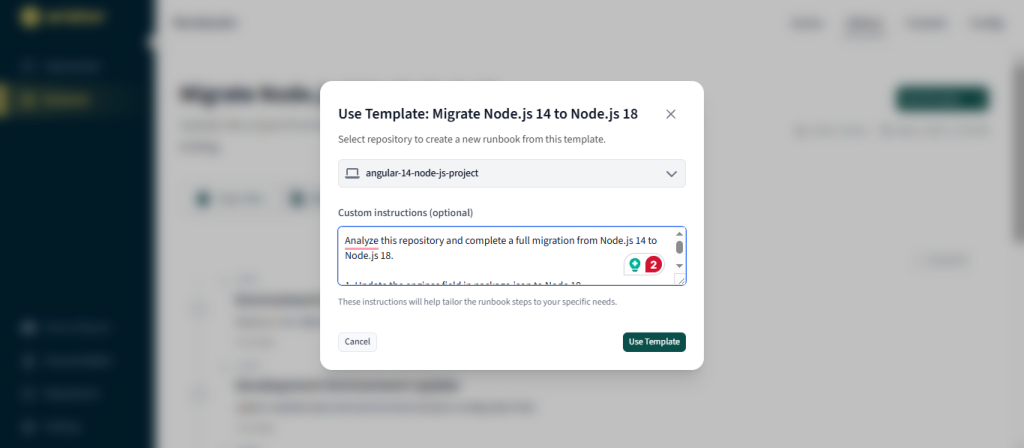
Custom Instructions
| Analyze this repository and complete a full migration from Node.js 14 to Node.js 18. 1. Update the engines field in package.json to Node 18. 2. Detect and update outdated dependencies to versions compatible with Node 18. 3. Identify ESM-only packages and apply the correct fix: – Prefer CommonJS-compatible versions where needed, or – Apply dynamic import for ESM-only modules. 4. Surface breaking changes caused by the OpenSSL 3 upgrade and adjust build or runtime steps if required. 5. Review all imports and ensure file extensions are present where needed after updates. 6. Re-run lint, build, and test steps to verify repository stability after migration. 7. Produce clear diffs for all changes in package.json, source files, and configuration files. 8. Create a branch with the migration changes and open a pull request with a summary of: – Updated dependencies – Updated runtime version – Fixes applied for ESM or crypto issues – Test results and verification steps |
Running this plan does not require long conversational context. The plan carries logic. Engineers attach repositories to the plan and trigger execution.
After importing the template, I selected the repository and created a new runbook plan. Aviator’s discovery phase parsed the package.json file, looked for known incompatible packages, and scanned for CommonJS patterns that might require conversion to ESM import syntax. The output included a summary of issues and proposed corrections.
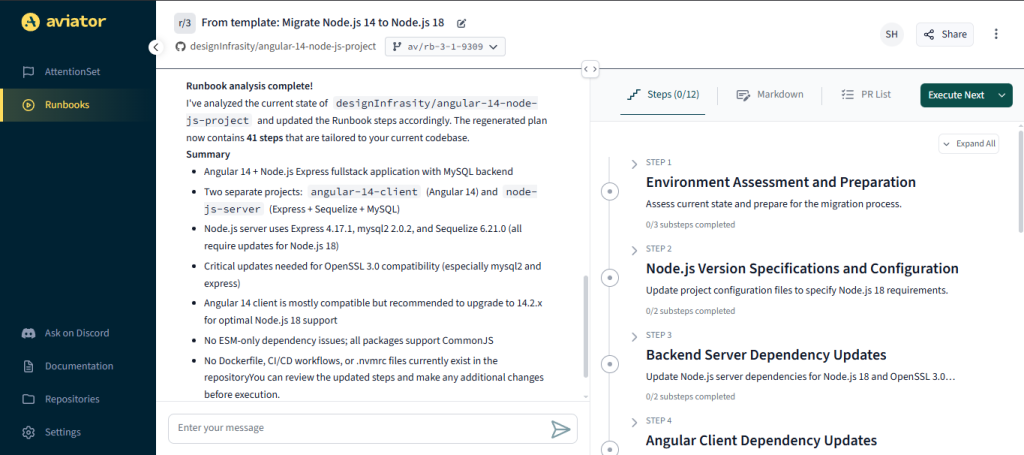
Then we click on the Execute All button.
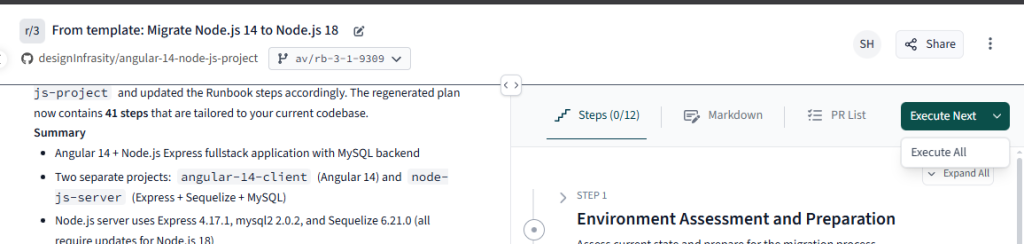
Aviator runs the complete Runbook, with defined steps.
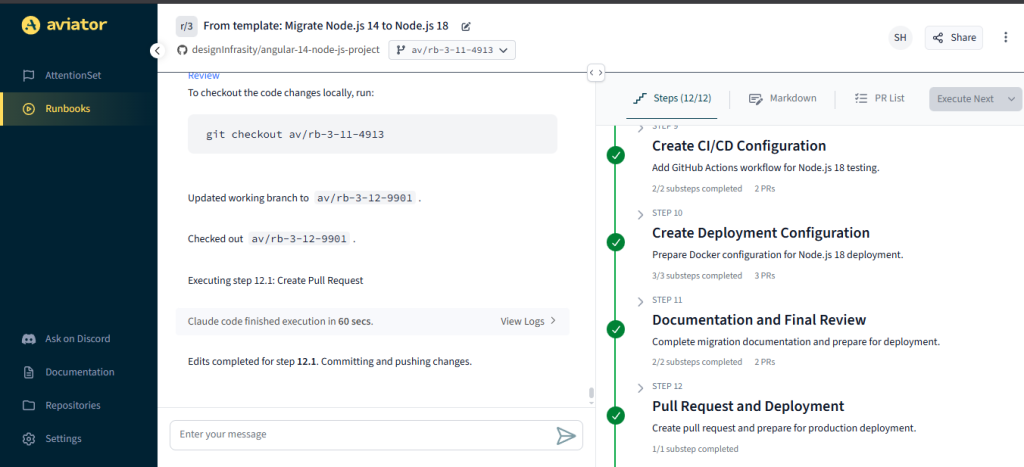
Step 2: Implementation
Executing the Runbooks plan runs each step in sequence. Aviator clones the repository in an isolated agent environment, applies the recommended updates, runs the test suite, and records the results. Each step is visible in the runbook logs.
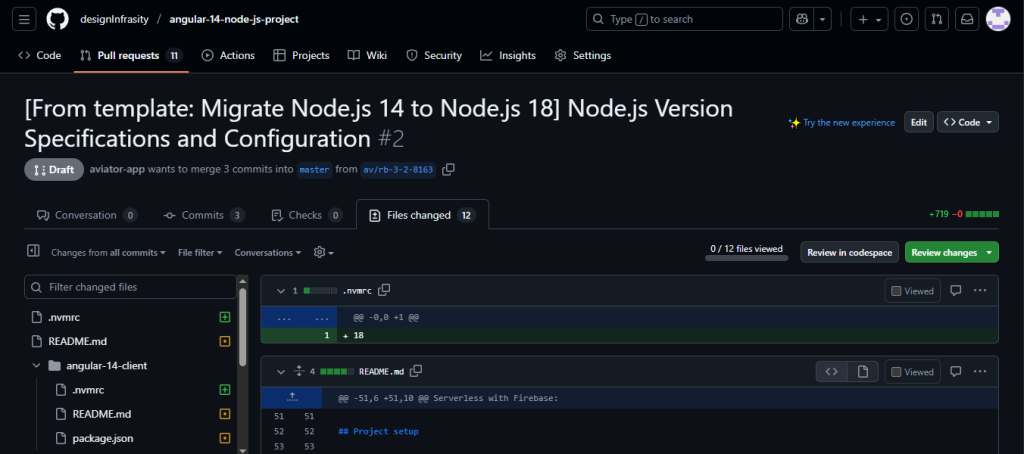
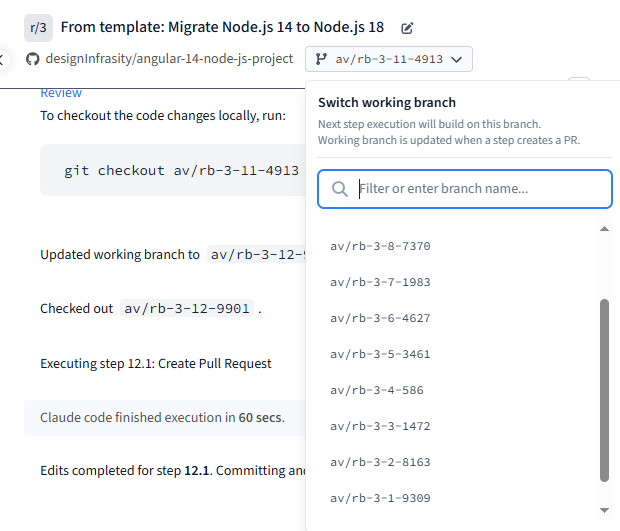
The runbook then opened a pull request with the generated changes. The PR contained the modified package.json, updated imports, and confirmation that all tests passed.
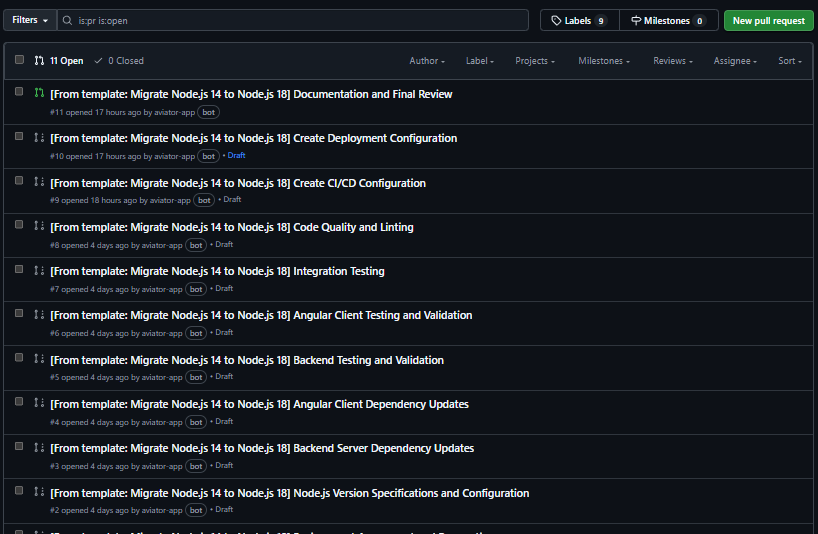
Developers reviewing the PR could trace every change back to a specific runbook step. This transparency reduces the review effort and removes the need for manual explanation.
Step 3: Adjustments and Observations
The only manual tweak required was pinning ESLint to a minor version due to plugin compatibility. The runbook also flagged an OpenSSL configuration difference that would’ve otherwise gone unnoticed, a typical pitfall in manual upgrades.
Each action was logged, versioned, and linked to a reproducible Markdown plan, making rollback or reuse trivial.
Implementation Details Summary
The migration produced several important code updates. A condensed list of examples is provided below.
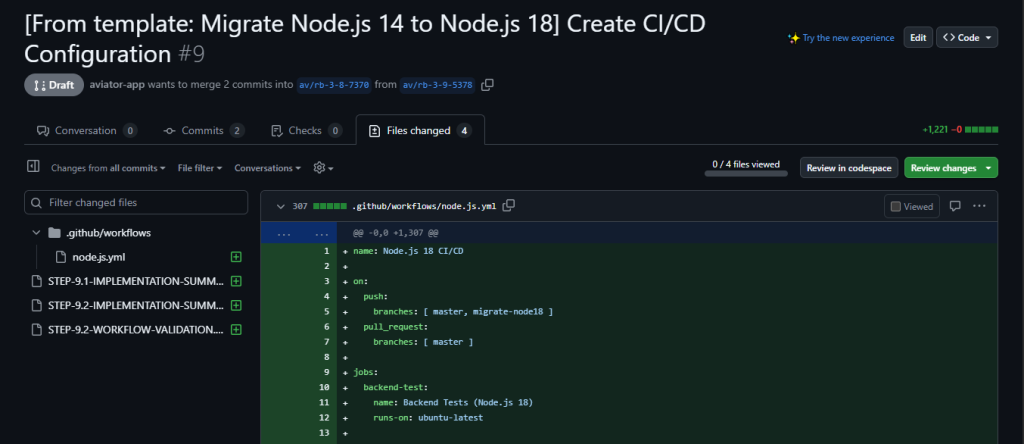
The CI pipeline also required an update to use Node.js 18 images. A typical GitHub Actions change looked like:
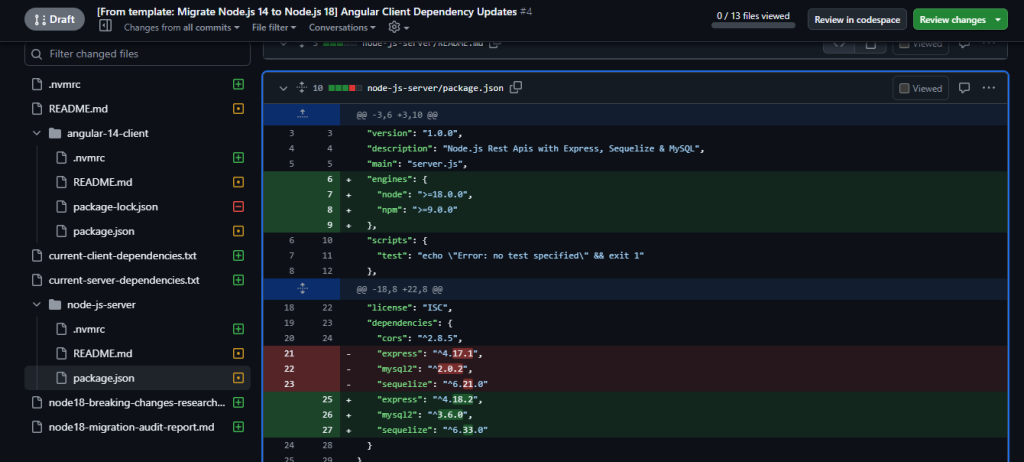
After applying these changes, the test suite produced consistent results. All packages installed correctly, and the application started without warnings.
Key Takeaways on Upgrade Predictability
Both the vibe-coding workflow and the Aviator Runbook workflow produced a working Node.js 18 build, but the outcomes were fundamentally different. The conversational path was fast for a single engineer, yet every fix lived inside the chat and could not be repeated without redoing the prompts. Switching to Aviator turned the same migration into a documented, traceable sequence that any team member could rerun.
In short, the shift from a vanilla upgrade to Aviator moved us from a one-off fix to a repeatable process. Dependency updates, ESM adjustments, and OpenSSL fixes were applied consistently, and every action was captured in the runbook log. For teams that maintain multiple repositories or need predictable upgrades, that consistency is the real win.