Inside Runbooks: How Spec-Driven Development Works


Coding with AI agents is fast, but speed isn’t always a good thing. In the rush to write prompts quickly, planning can easily be left behind. Agents will do what you tell them to (most of the time, at least), and before you know it, you’re deep into implementation. This often results in inconsistent output, unpredictable behavior on complex codebases, and very little insight into why the agent did what it did.
As you can see, when it comes to agentic setups, there’s a clear absence of the planning phase. There are no shared specifications that both the agent and the developer can rely on. So, how should we introduce them, you may ask?
Meet Aviator Runbooks. It uses Claude (no shade, GPT) to plan and execute tasks in a sandbox. You provide a description of what you want, review the specs it generates, and then let the agent implement them.
The Issue of Prompting Without a Direction
Ah, vibe coding: throw a prompt at an AI agent, iterate, and pray something works. This is fine for greenfield projects, where you’ve got a blank template and a simple goal. The agent executes the steps, you review the output, and move on without thinking twice (or looking at the billing tab).
Brownfield enterprise codebases are a completely different matter. You’re dealing with the existing architecture, implicit conventions, and years of accumulated context that no prompt (or context window) can fully capture.
In that environment, without structure, the AI agent may need to make too many undocumented micro-decisions. This does not mean that the agent is inherently bad, though. It’s just that, without structure, it’s forced to make bunch of decisions related to the scope, the approach, and tradeoffs that are not visible to the dev reviewing the output. In the end, it may produce code that looks correct but isn’t really, which is what we call an AI slop.
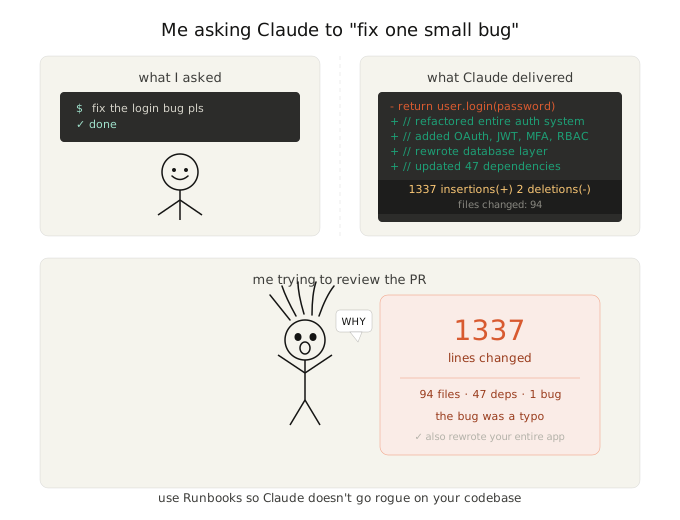
Let’s hop inside Runbooks so that I can show you a step-by-step workflow that will keep you from tearing your hair out trying to figure out why Claude made 1,337 line changes.
Runbooks Workflow: Plan → Execute → Collaborate

Inside Runbooks, it’s like chatting with your good, old ChatGPT or Claude, but with a few differences.
Let’s see how it all works.
- You enter the starter prompt: what the overall goal is, what you want to accomplish, and how.
- You select a repository (connect your GitHub beforehand).
- You can also choose the “One Shot” mode for smaller and descriptive task for agents to perform uninterrupted.
- Press Start and wait.
In a couple of moments, Runbooks will generate a plan with steps. You are free to edit the plan and fine tune it. A good rule of thumb: the more detailed you are, the more detailed the output.
Next, you can hit Execute Step, which will take you one step ahead in the workflow (with actual code being written). You can also press Execute All from the dropdown menu of the same button. This one goes over all steps without a hiccup.
Now, you can grab your matcha latte or pet your kitten a bit while Runbooks works its magic.
After some Hogwarts-level sorcery is done behind the scenes, press Create PR in the top right corner.
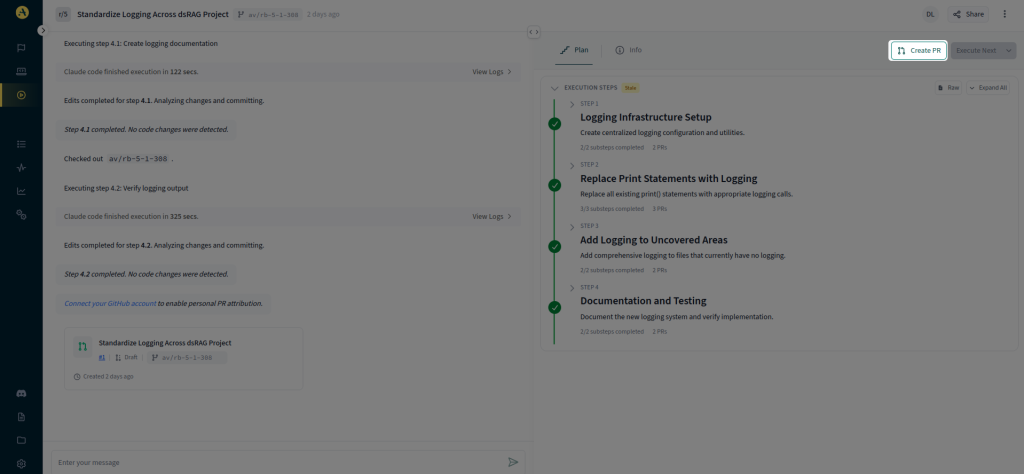
Creating a PR with Runbooks
When you head to the repo, you will see the neatly generated PR.
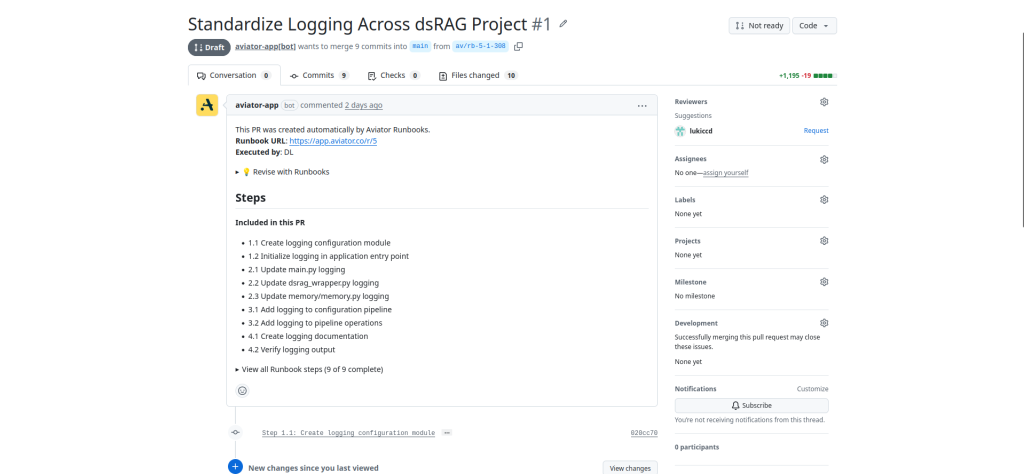
The PR draft on GitHub
A Real World Example
After a sprint or two, your team says you need to add rate limiting to a REST API. You’re not playing anymore: you have actual traffic, and this has become a priority.
This sounds simple on paper. In practice, you’ve got middleware layering from three engineers that have left the company and a custom auth wrapper (spoiler alert: nobody fully remembers how it works). Yikes.
It’s not a shame to ask AI for help, especially Runbooks. It can actually orchestrate a concrete plan so that you can implement the rate limiter confidently. The whole process can go along these lines:
- You drop the prompt into Runbooks.
“Add per-user rate limiting to the public API endpoints using Redis, respecting the existing auth middleware and request lifecycle.”
- Runbooks start working by reading your repo first.
- Before any code change, Runbooks presents you with a plan.
- You edit and approve the plan.
- Runbooks starts executing.
With this, you can actually see the course of action rather than blindly trusting an agent.
Who Gets the Most Out of This
Runbooks is really helpful for:
- Teams on large or legacy codebases: The more implicit context your repo has, the more planning you need.
- Engineers doing code review: The generated specs also count as documentation. There’s no need to reverse-engineer what the agent did. Reviewers can work directly alongside the generated plan.
- Solo devs moving fast: One-shot mode handles smaller, well-scoped tasks without interruption. For anything non-linear, the plan-first workflow spares you an afternoon of untangling AI gibberish.
This list isn’t exhaustive. I just pointed out some specifics where I found Runbooks really helpful.
Next Steps and Resources
AI coding agents are not going away anytime soon, nor are the headaches caused by hasty agents that don’t think ahead. When you want reliable execution, you need to establish the right process before the execution is run.
Aviator’s Runbooks fill that gap perfectly. Define what you want, review the agent’s plan, execute, and voila! The generated PR comes for less than the price of a Starbucks you’ll be sipping on while waiting.
If you want to get started (and you should :D), these docs will get you moving in a couple of minutes:
- Connecting your GitHub repository to Runbooks, the prerequisite;
- Runbooks Concepts, if you want to see what happens under the hood.
Open Runbooks and stop playing the guessing game with your agent. Cheers!
Frequently Asked Questions (FAQ)
What AI model does Runbooks use under the hood?
Runbooks currently runs on the Claude code agents, and support for Gemini and Codex is expected down the line. You can also use your own Claude API keys, as Runbooks supports both direct API access and AWS Bedrock.
What programming languages and frameworks does Runbooks support?
All of them, since Runbooks is language and framework agnostic. The only thing that matters is that your GitHub repo is connected and Runbooks can access all code.
Is there a mode for smaller, quicker tasks?
Yes. One-shot mode lets the agent execute a well-scoped task from start to finish without stopping for your review at each step.
Can Runbooks handle large codebases?
There are no hard limits on repository size. That said, larger codebases naturally consume more tokens. If you are working at that scale, it helps to break big tasks into smaller, more focused Runbooks rather than trying to tackle everything in one go. The Working With Large Codebases doc covers this in more detail.
What happens if the build or tests fail?
Runbooks will not just halt. The agent will automatically analyze the build and test output, then iterate on the changes to fix the issues.